Düğüm Satırı Fonksiyonları
Node Line Functions :
In the Menu Manager tree list, the node can be divided into row functions, as the "add node to the same breakdown", "sub- There are functions such as add nodes to breakdown** and delete nodes.
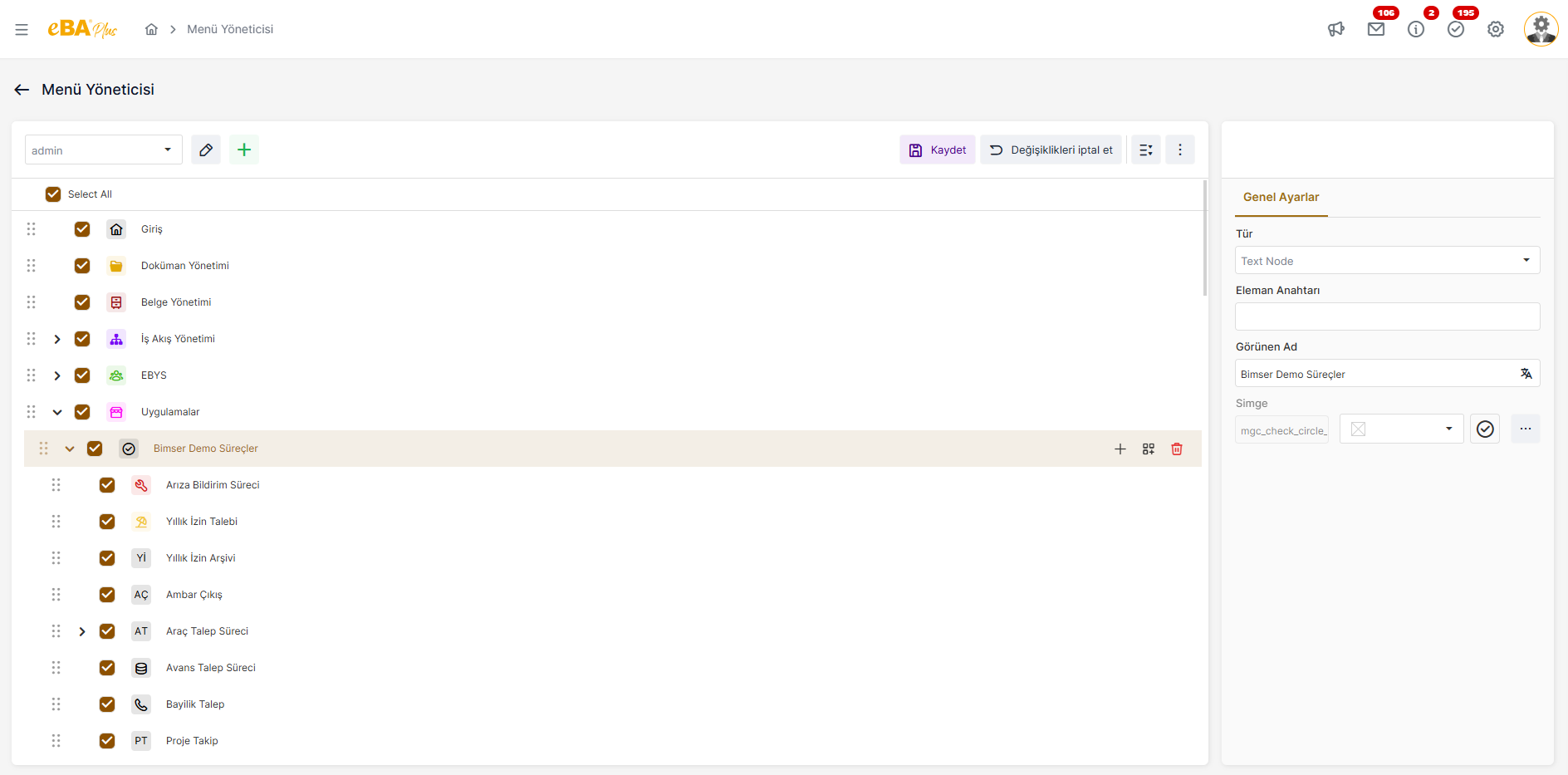
Login, Document Management, Document Management and Workflow Management that come as system defaults nodes cannot be deleted or new child breakdowns added under these nodes. Only in line The new node insertion function is active on these node rows.
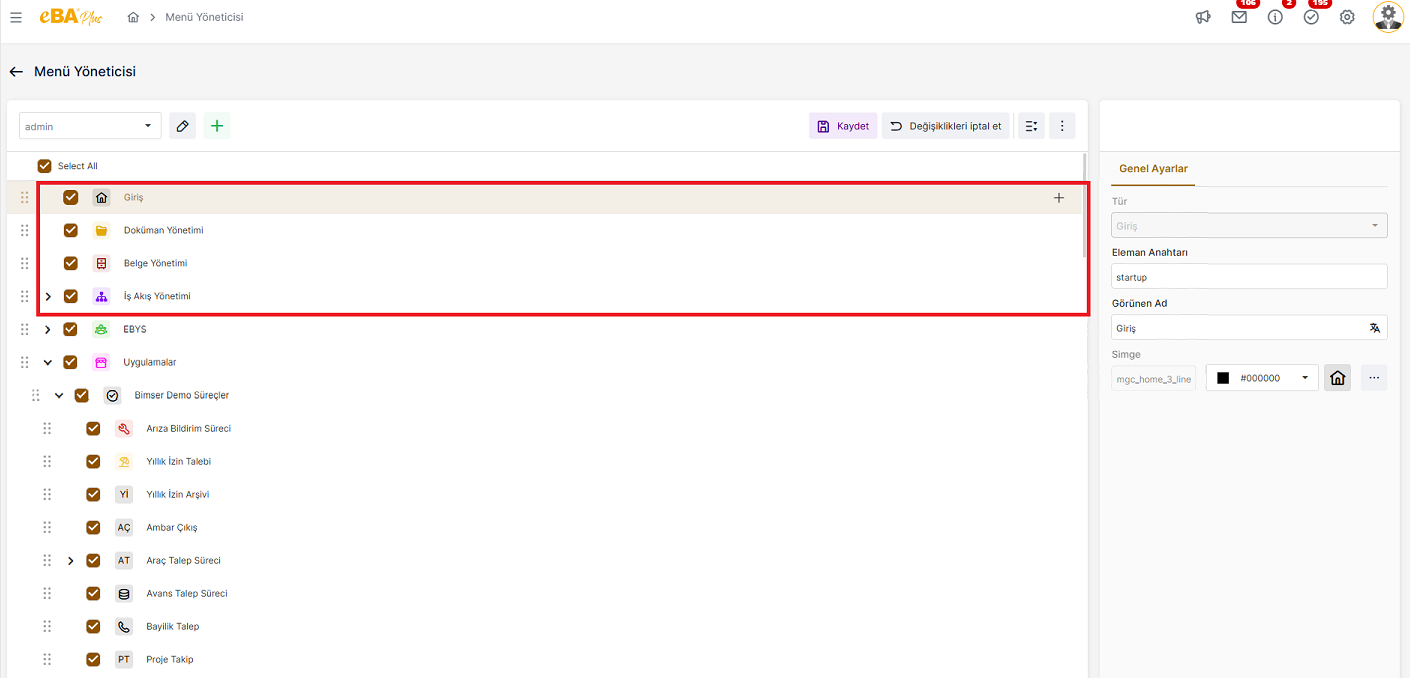
When a node from the tree structure is clicked, the "General Settings" panel of that node opens on the right. In the General Settings panel that opens when the system default nodes are clicked, the relevant node Only the element key, display name, icon, and icon can be changed. The Type field cannot be changed. Clicking on menu nodes that do not have a system default and are added later, General Settings panel, the settings of the relevant node can be edited.
When a new node is added to the menu tree structure, that node is clicked and the node settings are displayed as " General Settings is defined from the "panel. In the General Settings panel, as "Type"; Applications , Text Node , Group Panel and Dashboard options are listed.
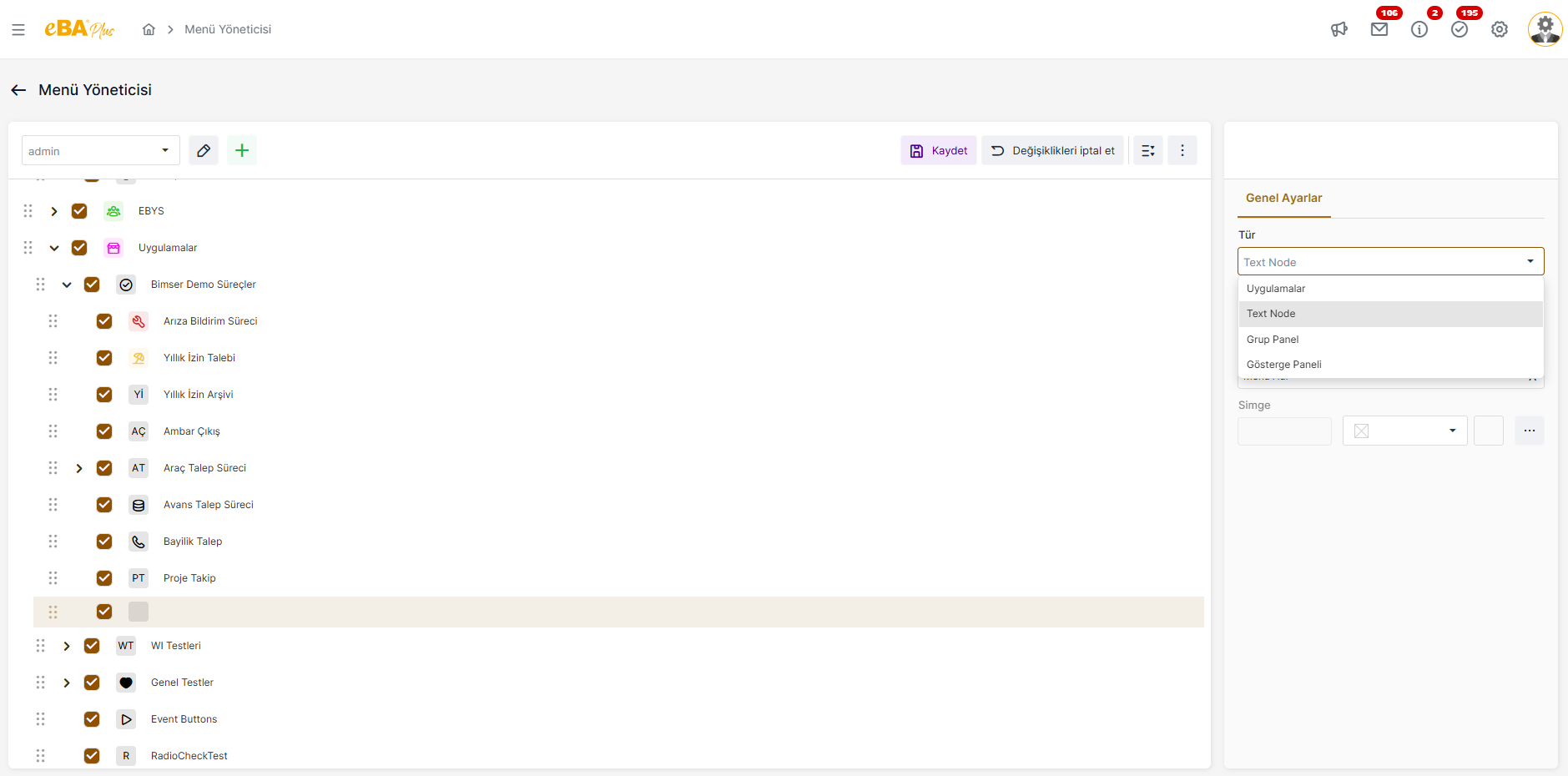
Depending on the selected node type, the fields in the "General Settings" panel vary.